Giftflow allows flexible layouts with Gutenberg (Archive + Detail pages)
Giftflow is designed to work with Gutenberg, so you can customize layouts without writing code—especially for the two most important parts of your donation website:
- Archive page: where visitors browse campaigns (campaign list/grid)
- Detail page: where visitors learn about one campaign and donate
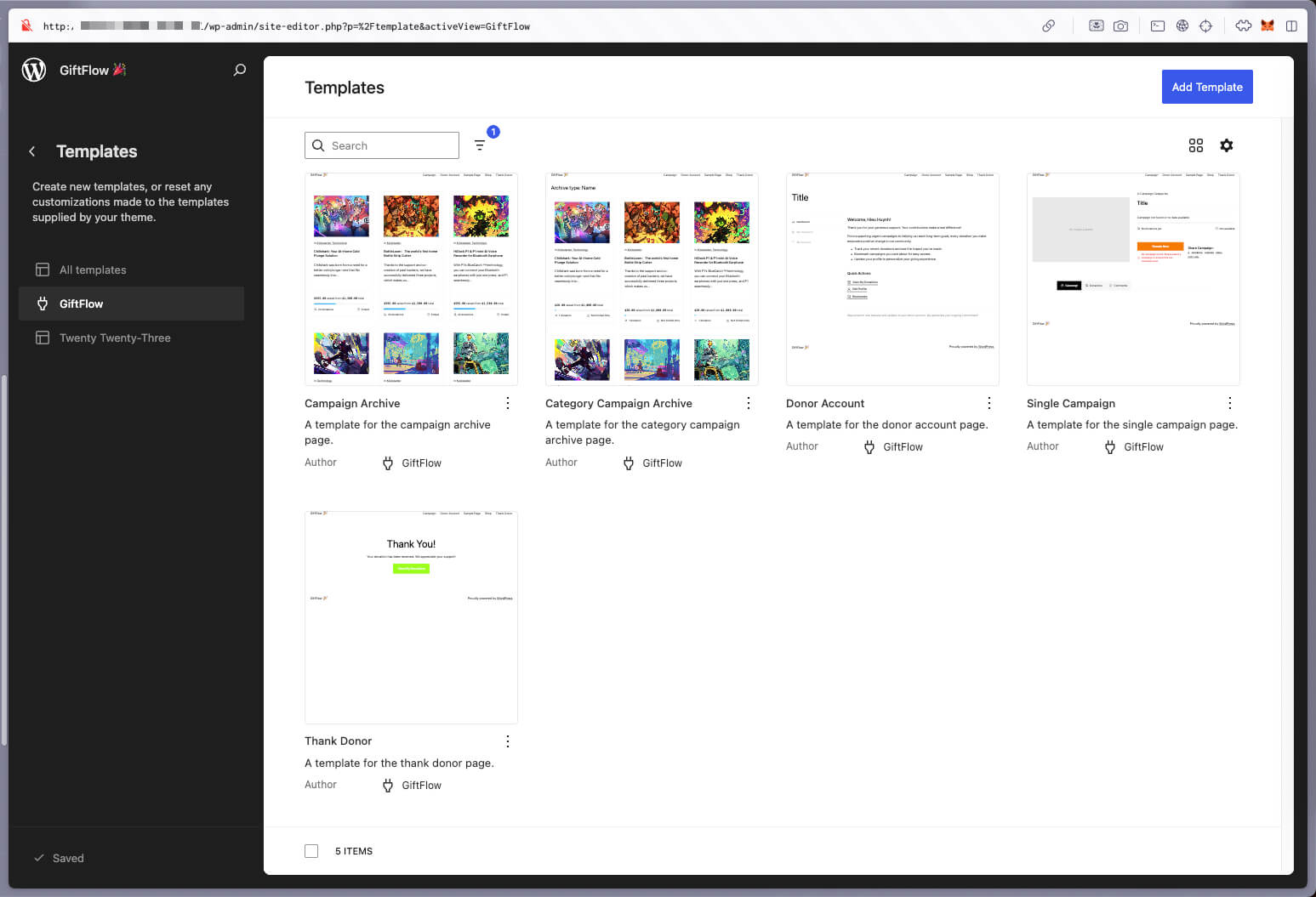
What you can customize
Campaign archive page (list of campaigns)
Use Gutenberg to control how your campaign listing feels:
- Headline and intro (set context and trust)
- Layout (grid vs list, spacing, columns)
- Filters/sections (featured campaigns first, then all campaigns)
- Visuals (images, badges like “Active”, “Completed”)
- Call-to-action (encourage visitors to open a campaign)
Campaign detail page (single campaign)
This is where conversion happens. Gutenberg lets you control:
- Hero section (title + image + short summary)
- Progress / goal placement
- Donation form placement (above the fold or after story)
- Gallery (photos / impact)
- Updates / FAQ sections
Keep it simple (and explore)
If you’re just getting started, focus on the basics and iterate:
- Archive page: make it easy to choose a campaign in 5 seconds
- Detail page: make it easy to donate in 30 seconds
You don’t need a “perfect” layout on day one—use Gutenberg to move sections around, try different blocks, and see what feels best for your audience.